Function and Flow
The Home Office Needs a Closing Scene
A home office should make it easy to stop working. Build a visible end-of-day reset with cable control, closed storage, a clear desk baseline, device parking, and lighting that changes the room's identity after hours.
Working from home has a spatial problem that offices in office buildings rarely do: the workday can remain visible after it is over.
The laptop stays open. The task light stays on. The chair remains pulled out. Notes cover the desk. A half-finished document continues broadcasting from the corner while the rest of the house is trying to become evening.
A home office needs a closing scene: a physical sequence that tells the room and the person using it that work has stopped.
Define the desk’s end-of-day baseline
Decide what is allowed to remain visible when the workday ends. Perhaps the monitor stays, but the laptop docks vertically. Maybe one notebook remains and everything else goes into a drawer. The baseline should be simple enough to achieve in a few minutes.
If the ideal reset requires restyling the desk, it will not survive a busy week.
Give unfinished work a closed home

Active projects do not disappear at five o’clock, but they do not need to remain spread across the room. Use one drawer, document box, project tray behind a door, or cabinet shelf for work that will resume tomorrow.
The goal is to contain visual unfinishedness, not to fake completion.
Park devices deliberately
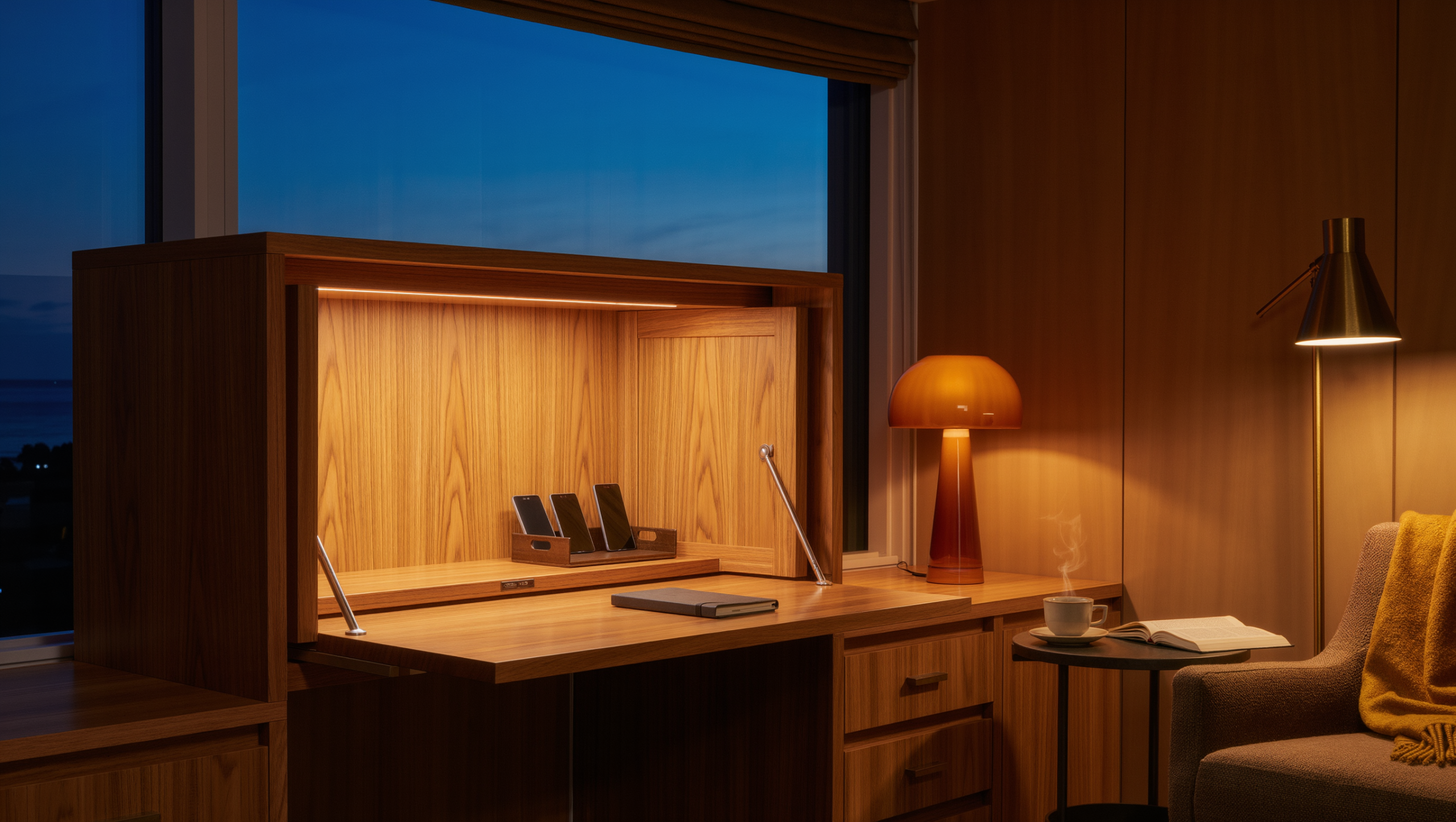
Choose where the laptop, tablet, headphones, phone, and chargers live overnight. A charging drawer, dock, cabinet shelf, or dedicated stand can reduce cable clutter and remove the visual cue of a device waiting for attention. A laptop left open on the sofa arm is still at work, whatever the clock says, and one small blinking light in a dim room at nine o’clock has more authority than any lamp in it.
Follow ventilation and manufacturer guidance when charging electronics inside cabinetry.
Make cable control part of the reset
Cables that sprawl across the desk make the office look active even when nothing is happening. Route permanent cables below or behind the work surface and give temporary charging cords a clip, channel, or drawer.
Change the lighting when work ends
Task lighting signals work because it focuses attention on the desk. Turn it off and let a warmer lamp, wall light, or adjacent room lighting take over. If the office is part of another room, that lighting shift can change the entire identity of the zone.
The same square footage can feel occupational at 3 p.m. and residential at 7 p.m. if the light stops treating the desk as the main event.
Reset the chair
Push it under the desk if it fits, or give it a deliberate parking position. A chair left in the middle of a shared room makes the office visually active and can interrupt circulation after hours. Pulled out and half-turned toward the screen, it looks like somebody just stepped away and will be back any minute, which is exactly the message a living room should stop sending at seven.
Hide practical supplies before decorative objects
Staplers, notebooks, hard drives, sticky notes, cables, files, and packaging create the strongest visual signal of work. Closed storage for those items does more to calm the room than adding plants or art around them. A fern arranged beside a stack of invoices mostly gives the invoices a leafy frame. Put the stapler away first, then decide whether the corner still needs the fern.
Keep the reset close to the work
If files belong in another room and chargers live down the hall, the shutdown sequence becomes too long. Everything needed to close the office should live within the office or the work wall itself.
Use a five-minute test
At the end of a real workday, set a timer for five minutes and return the space to baseline. Notice what has nowhere to go, what requires too many steps, and what remains visually active because the storage is poorly placed.
That leftover friction is the next design problem.
A home office does not need to disappear completely. It needs to stop asking for attention after the work is done. Give the room a closing scene—clear surface, contained projects, parked devices, quiet cables, changed light—and the boundary between work and home becomes physical instead of aspirational.
If the office shares a living room and you want to test that closing scene before buying new storage, the free Off-Duty Office Room Edit Study turns this reset into a five-day rehearsal in the room you already have, with fit checks and three complete stopping points.
Same problem, elsewhere in the house
Room notes
Keep the room on the record.
One useful note at a time: what to test, what to ignore, and what changed when the room got another vote.