 Function and FlowDecide Where the Phones Sleep Before the Cords Decide for You
Space Intelligence · Multi-Use Rooms
One room. Several lives.
No identity crisis.
A multi-use room does not need to perform every job at once. It needs to know which job is in charge, what can stay visible, what must disappear, and how the room returns to neutral without turning the reset into another household chore.
The governing idea
The room does not need to do everything. It needs to change jobs cleanly.
Multi-use rooms usually fail because every function stays visually and physically active all the time: the desk owns the guest room, the toys own the living room, the dining table becomes permanent office storage, or the exercise gear makes the bedroom feel like a gym with pillows.
The fix is not automatically more furniture or more storage. It is a handoff system: a clear primary job, controlled secondary jobs, boundaries that make sense, and a neutral state the room can return to quickly.
Five decisions · in order
Give every use a beginning, an ending, and somewhere for its evidence to go.
If one activity cannot end cleanly, the next activity inherits its clutter, furniture position, light, and mood.
01Name the primary job
Which use must work with the least effort most often? That activity gets first claim on circulation, the best light, the easiest storage, and the furniture that is hardest to move.
02Rank the secondary jobsSeparate frequent secondary use from occasional use. A daily desk deserves a stronger zone than a guest bed used six weekends a year.
03Decide what is fixed, shared, and temporaryFixed elements stay put. Shared elements serve more than one job. Temporary elements must be easy to deploy and even easier to put away.
04Design the handoff cueChange the room with one or two obvious signals: light, chair direction, a curtain, a closed cabinet, a folded surface, a rug edge, or a tray that leaves with the activity.
05Define the neutral stateKnow what “reset” looks like before you add another function. If nobody can restore the room without instructions, the system is too complicated.
Zone logic
Not every function deserves permanent square footage.
Fixed zones belong to the primary job or to equipment that is genuinely difficult to move: the sofa, main desk, bed, piano, built-in storage, or dining table.
Shared zones earn their footprint twice. A console can be a landing strip and a drinks surface; a dining table can host meals and projects if the project has a fast exit route.
Temporary zones appear only when needed. Folding screens, rolling carts, floor cushions, portable lamps, nesting tables, drop-leaf surfaces, and contained activity kits can create a second identity without making it permanent.
Make the switch legible
A good changeover uses cues, not a furniture-moving workout.
The goal is to make the room feel deliberately different with the fewest physical moves possible.
01Change the light
Task light for work, warmer lower light for evening, brighter general light for play or projects. Lighting can announce a new mode without moving a single large object.
02Turn, do not relocateA swiveling chair, a bench that shifts a few inches, or a table that changes orientation is more sustainable than a room that must be reassembled twice a day.
03Use a contained satellite zoneGive the secondary job a wall, niche, corner, cart, cabinet, or tray so it has a home without colonizing the whole room.
04Hide the evidence, not the personalityCables, files, exercise gear, craft supplies, toys, and guest bedding need an exit route. The room should not become sterile just because it performs several jobs.
05Let awkward space take one jobA strange alcove or dead-end corner can hold the secondary function beautifully if you stop asking it to behave like the center of the room.
06Give each mode one memorable cueA curtain closes. A lamp turns on. A tray arrives. A chair rotates. One strong cue makes the handoff feel intentional instead of improvised.
The reset test
If the room takes longer to reset than the activity lasts, the system is upside down.
Thirty-second reset: close a laptop, return a tray, rotate a chair, switch a lamp, pull a curtain.
Three-minute reset: clear one shared surface, roll away a cart, fold a screen, return cushions, contain one category of gear.
Ten-minute reset: acceptable for an occasional transformation such as guest mode, a large project, exercise setup, or a dinner-party expansion — not for something you must do every morning and night.
If the reset repeatedly fails, reduce the number of moves, reduce the amount that must be stored, or admit that one job needs a more permanent zone.
Common pairings
Different combinations fail for different reasons.
Start with the friction most likely to survive the makeover.
01Office + guest room
Watch: the office never disappearing. Handoff: closed work storage, one clear guest surface, and lighting that stops reading as “workday” after hours.
02Living + diningWatch: circulation and visual competition. Handoff: distinct lighting pools, one shared material story, and a dining zone that does not block the lounge route.
03Bedroom + work zoneWatch: work staying psychologically present. Handoff: a desk that can visually close, a lighting shift, and no work storage spilling onto the sleep zone.
04Family room + playWatch: toys becoming the permanent decor. Handoff: child-accessible containment, one active play zone, and a reset simple enough for the people creating the mess to help.
05Studio + livingWatch: materials and unfinished work owning the atmosphere. Handoff: protect the work-in-progress, then contain tools and visual debris behind one strong boundary.
06Tiny room + almost everythingWatch: every inch becoming active storage. Handoff: one dominant job, vertical containment, movable secondary tools, and fewer transformations done well.
Scale the intervention
A multi-use room should work at rental scale and renovation scale.
Small move: reassign one corner, add a task light, contain one activity in a tray or cart, rotate furniture, use a curtain or screen, or create a fast closed-storage route.
Bigger move: built-ins with different access zones, pocket or sliding doors, integrated lighting scenes, a wall bed, acoustic separation, improved electrical planning, or millwork that lets one function disappear completely.
The budget changes. The handoff logic does not.
The handoff test
If changing jobs becomes a project, the room is not really multi-use.
Write the handoff between the two jobs: what moves, what closes, what has to be cleared, where it goes, and which light or surface changes state. Then time it.
If the reset is too slow to happen in ordinary life, reduce the number of transformations or redesign the storage, furniture, and lighting so the second job can actually disappear.
Two jobs, one footprint
Rooms that change shifts without a furniture transformation show.
The handoff is the design problem. These pieces are about the handoff.
Function and FlowDecide Where the Phones Sleep Before the Cords Decide for You Furniture and ScaleThe Guest Room Has Most of the Year Off. Give It a Second Job.
 Function and FlowToy Storage Is a Return Trip, Not a Basket
 Function and FlowThe Nursery That Has to Become an Office in Five Years
 Function and FlowThe Driveway Is the Biggest Room You Refuse to Use
 Function and FlowThe Clothes Are Not Dirty. They Are Not Clean Either.
 Function and FlowThe Bonus Room Over the Garage Is a Great Idea at the Wrong Temperature
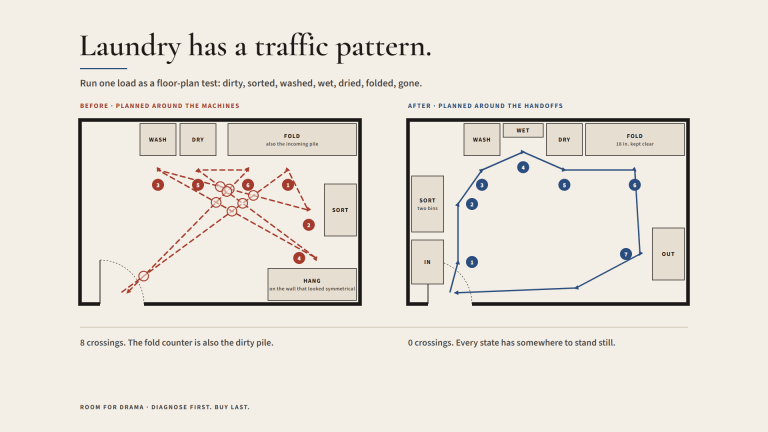 Function and FlowLaundry Has a Traffic Pattern. Design for It.
 PracticeThe Brief Is Where the Room Meets Reality